
- 3-Axis
- Used in Router CNC machines
- Support Gantry machines

Videos
DESCRIPTION
The XYZ Router interface serves as a user interface between the operator and advanced software for a three-axis CNC machine, featuring capabilities such as digital output control during G-code execution via M-Code. Complementary features like the ability to connect an XBOX controller and keyboard as remote controllers, automatic park position adjustment, and the definition of up to 6 reference points for work start positions make machine operation easy and precise for operators. All inputs and outputs are pre-configured by default, so no additional programming is required. The interface can also be customized visually to fit the industrial needs and branding of manufacturing companies.
Introduction
One-line value prop: Import DXF/G-code and machine wood, plastics, composites, and plate aluminum with guided manual tool changes, Z probing, and power-loss restart for dependable production.
Who uses it: Woodworking & cabinetry · sign & exhibit · plastics/composites shops · light aluminum fixture makers.
Works with: Gantry routers with X-Y-Z motion and a spindle/VFD (single-spindle).
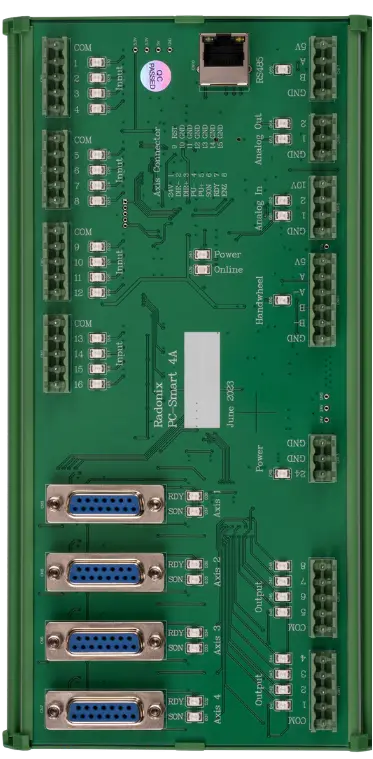
Compatible controllers: PC-SMART 4A / PC-SMART 3AS / PC-PRO LAN 4A
Supported files: DXF and standard G-code (e.g., ArtCAM / PowerMill posts)
Machine & Kinematics
-
3-axis contouring (X, Y, Z) with homing, soft limits, and work offsets (G54–G59).
-
Manual tool change workflow: safe retract to SafeZ, spindle stop, on-screen checklist (change tool → confirm → optional Z probe), then resume.
-
Optional A-axis indexing (rotary) for wrap/4-face jobs.
Control & I/O
Spindle ON/OFF and commanded RPM (VFD), vacuum zone valves, dust/mist/air, clamps/fixtures, beacons, guards & Emergency.
Inputs for home/limits, tool-setter (Z), door/guard, vacuum OK.
Operator aids: Feed/Speed overrides, Pause/Resume, Single-step, and Restart from line (power-loss recovery).
Software & Workflow
DXF/G-code import with tool library and layer→tool mapping.
Strategies: profile, pocket, drill/peck, ramp/helix entry, multi-pass step-down, tabs / onion-skin, climb/conventional.
Tool diameter compensation, lead-in/out, corner smoothing, rest-machining for cleanup tools.
3D toolpath preview for verification; Floor (depth) limit to protect table/fixtures.
Job reports: cycle time, path length, tools used, alarms/pauses, operator notes.
Key Capabilities
(at a glance)
Key Capabilities(at a glance)
-
Guided manual tool change with SafeZ retract and spindle interlocks
-
Z tool-setter cycle for accurate depth after each change
-
3D toolpath preview and rotary axis display (if A-axis option installed)
-
Floor depth restriction, soft limits, safe Pause/Resume
-
Restart from last G-code line after stop or power cut
-
Vacuum/dust control, clamps & safety interlocks
- Power-loss recovery (Restart from line): Safely resumes from the last executed G-code line with automatic re-arm of spindle, vacuum, and safe Z re-entry.
- Surface Scan capability for automatic Z-axis compensation according to the irregularities of the workpiece surface.
- Ability to modify the executable file (Rotate, Scale, Flip, Fit Dimension).
- Real-time reference displacement (Displace Reference) during job execution.
- Independent homing function for Gantry motors, enabling automatic orthogonality (X,Y) or alignment (Z) calibration.
- Dual-purpose sensor support for using a single sensor as both Home and Limit switch simultaneously.Power-loss recovery (Restart from line): Safely resumes from the last executed G-code line with automatic re-arm of spindle, vacuum, and safe Z re-entry.
Standard Workflow
-
Home axes; set work offset (G54).
-
Open DXF/G-code; map layers to tools/strategies; confirm comps, step-downs, and Floor.
-
Run. At each tool call, system retracts to SafeZ, stops spindle, and prompts for manual tool change → (optional) Z tool-setter → Resume.
-
Use Feed/Speed overrides, Pause/Resume, or Single-step as needed.
-
If interrupted, use Restart from line: re-arm spindle/vacuum, confirm SafeZ re-entry, and continue.
-
Review and save the run report.
Typical Specifications
| Area | Spec |
|---|---|
| Axes | X, Y, Z (optional A indexing) |
| Tool Change | Manual, guided prompts + optional Z probe |
| Probing | Z tool-setter (tool length & wear) |
| Spindle/VFD | On/Off + RPM command; warm-up & interlocks |
| Files | DXF, G-code (layer→tool mapping) |
| Strategies | Profile, pocket, drill/peck, ramp/helix, tabs/onion-skin, rest-machining |
| Compensation | Tool dia comp, lead-in/out, corner smoothing |
| Visualization | 3D toolpath (rotary display if A-axis present) |
| Safety | Guards/doors, vacuum OK, clamps/fixtures, E-stop |
| Limits | Floor (max depth), soft limits, SafeZ retracts |
| Reporting | Time, path length, tools, pauses/alarms, notes |
Key Features of Radonix CNC Software
🔹 Six-axis router support:
Coordinate XYZ + up to three rotary axes (A/B/C) across wood, stone, milling, mold-making, and dental machines—up to 6 simultaneous axes.
🔹 RTCP (Rotation Tool Center Point):
Keeps the tool tip exactly on the programmed path during 5-axis rotations—no re-posting when you change head lengths or pivots.
🔹Multi-spindle heads
Run spindles synchronously or sequentially with per-spindle ON/OFF, RPM, offsets, and tool numbers.
🔹 Automatic tool changing:
Works with linear, rotary/carousel, and jack magazines—full clamp/unclamp sequencing, interlocks, tool table, and safe recovery.
🔹 Automatic Z tool offset & referencing:
Touch-setter cycles capture tool length (and optional diameter) for accurate depths and wear compensation after each change.
🔹 3D toolpath & rotary visualization:
Preview the job in true 3D with live A/B/C angles to verify reach, orientation, and motion before cutting.
🔹 Floor (depth) limit:
Enforces a maximum Z penetration so the tool never cuts past the programmed floor—protects the table, fixtures, and laminated stacks.