
- 2-Axis
- Used in Hot Wire CNC machines
- Feature: Analog Heat Control
Videos
DESCRIPTIONS
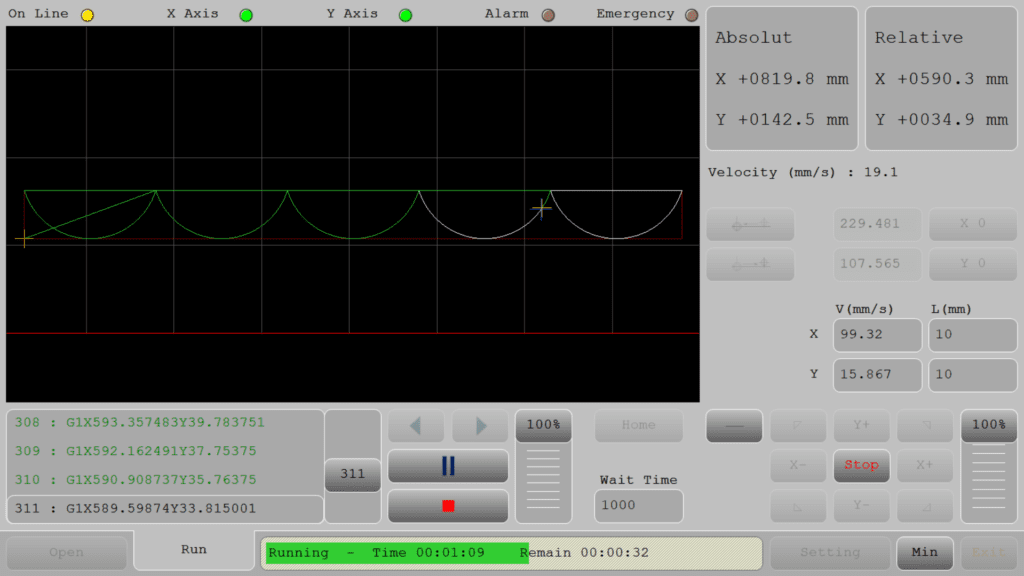
Hot Wire interface is a highly efficient tool designed to optimize the design and construction processes, particularly for professionals working with ceiling panels and custom shapes. Its integration with RadPS, which eliminates the need for manual G-Code conversion, is a significant efficiency booster. This feature likely streamlines the transition from design to production, making it a seamless process.
The automatic addition of pauses at the end of cutting lines is a thoughtful feature that enhances the overall quality of the finished product. It addresses common challenges such as wire overheating and potential inaccuracies during the cutting process, ensuring that each piece is executed with precision. This is particularly crucial when working with intricate designs where every detail matters.
Overall, Hot Wire interface to be tailored for modern design projects where precision and efficiency are paramount. Its user-friendly interface further enhances its appeal by making it accessible to professionals across various levels of expertise. For designers and constructors focusing on detailed and high-quality architectural elements, this software could be a valuable addition to their toolkit.
Introduction
One-line value prop: Clean EPS/XPS foam cutting with smart heat control—and optional tangential C-axis that auto-orients the wire from DXF.
Who uses it: Packaging, architectural mouldings, letters/signs, props & set design.
Works with: 2-axis hot-wire tables (XY) and XYC machines with a rotating wire head.
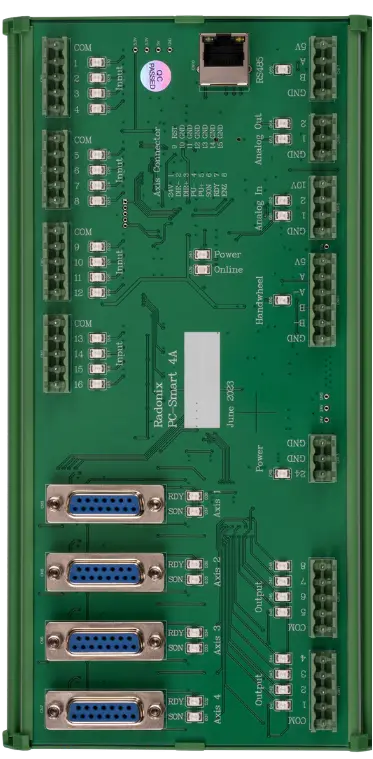
Compatible controllers: PC-SMART 4A / PC-SMART 3AS / PC-PRO LAN 4A
Supported files: DXF and standard G-code (e.g., ArtCAM / PowerMill posts)
Important: This interface does not include C axis calculation .
Machine & Kinematics
- XY gantry for planar motion on sheet stock.
- Optional Z lifter for approach, pierce height, and retract (no closed-loop height control).
- Configurable work envelope, homing routines, and soft limits.
Control & I/O
- High-rate step/dir motion with smooth velocity on curves.
- Outputs for wire power (SSR/PWM), pre-heat, cool-down fan, beacons/alarms.
- Inputs for wire break/open-circuit, guards, E-stop; optional fume extraction or fixture sensors.
- C-axis drive (if equipped) with soft limits and orientation guards.
Software & Workflow
DXF-first workflow: load a DXF and cut—no custom post required.
Tangent Path Solver (C-axis): computes the wire orientation from DXF geometry, applying look-ahead so the head rotates only when needed (corners, direction changes, fixture avoidance).
Direction Rules: lock angles on straights, snap to segment tangent on curves, optional orientation offsets to clear pins/clamps.
Thermal kerf/offset by material and wire gauge; speed ⇄ heat sync keeps the melt zone consistent.
Corner slow-down, tangent exits, optional tabs/bridges for part retention.
Reports: cycle time, cut length, breaks/pauses; operator notes saved with the job.
Key Capabilities
(at a glance)
Key Capabilities(at a glance)
DXF direct: no G-code post needed for XY/XYC
Tangential C-axis orientation auto-computed from path geometry
Thermal kerf/offset, pre-heat dwell, auto cool-down, wire-break detect
Speed–heat coupling, corner slow-down, tabs/bridges
Simulation / demo run (wire off), single-block step
Soft limits, interlocks, full E-stop chain
Job logs and quick recall
Standard Workflow
Load DXF and review preview (XY or XYC mode).
Set origin; secure the block/sheet and confirm fixtures.
Choose material preset (EPS/XPS), wire gauge & heat.
(XYC) Tangential rules: select tangent mode, angle locks, or offset for clamp clearance.
Simulate / Demo run (wire off), confirm limits and rotation moves.
Pre-heat and run with speed–heat sync; auto cool-down; save report.
Typical Specifications
| Area | Spec |
| Axes / Modes | XY (standard) · XYC (tangential rotation) |
| File Formats | DXF, standard G-code |
| Tangential Control | C-axis angle from DXF tangent; look-ahead; angle locks/offsets |
| Heat Control | SSR/PWM wire power, pre-heat dwell, cool-down |
| Compensation | Thermal kerf/offset, corner slow-down |
| Performance | Smooth planner; stable velocity on arcs/long contours |
| I/O | Wire power, fan/extraction, beacons/alarms, safety relays |
Upgrade path
Need live C-Axis control? Choose XYC Hot wire for using C axis in your toolpath .
Key Features of Radonix CNC Software
🔹 Direct DXF Execution
Seamlessly load and execute DXF files without the need for G-code conversion — streamlining your workflow and reducing setup time.
🔹 Smart Component & Path Management
Select specific parts from complex drawings and customize cutting order with intuitive control over toolpath sequencing.
🔹 Interactive On-Screen Editing
Scale, rotate, and mirror parts directly within the interface — with live toolpath previews to ensure precision.
🔹 Flexible Part Placement
Manually drag and drop parts onto your material sheet to accommodate irregular shapes, pre-cut stock, or remnant reuse.
🔹 Advanced Pause Controls
Set up to three independent pause points — before the cut, during the cut, and after the cut — for manual checks or operational adjustments.
🔹 Reverse Cutting Mode
Execute toolpaths in reverse to minimize material warping or adjust final exit points based on design needs.
🔹 Simulation / Demo Run Mode
Perform a complete motion test without activating the torch. Ideal for verifying the toolpath before live cutting.
🔹 Special Program For Designing
- Software for designing ceiling panels (RadPS).